3D Print Quote
How 3D Print Time Is Estimated, and Why Volume-Based Calculators Get It Wrong
Volume divided by speed gives print times that are wrong in both directions. How slicers really estimate FDM time, how resin and powder processes differ, and what it means for quotes.
Serdar Kaan · 6 min read · 4 views
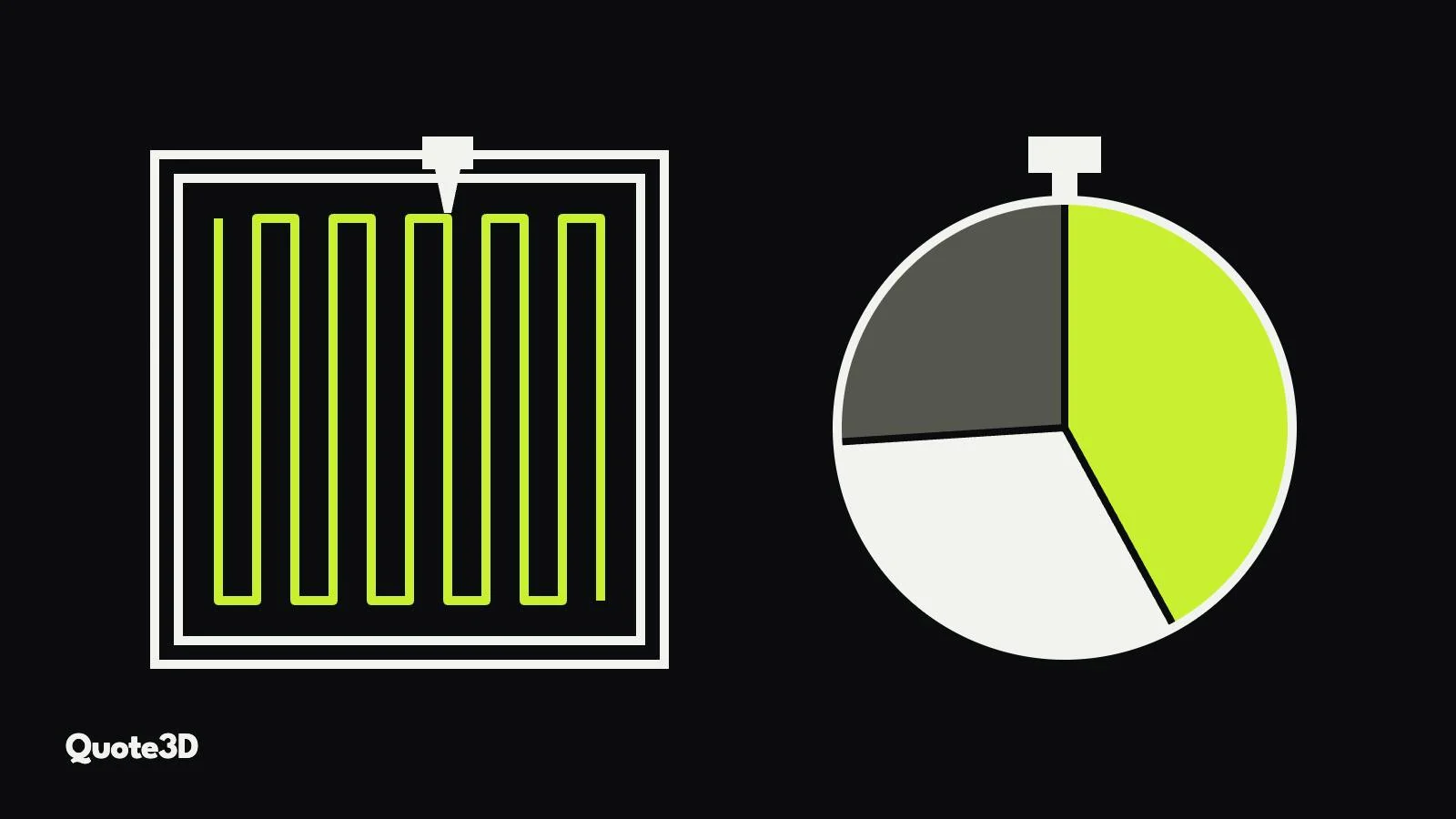
Print time is the largest cost in many 3D printing quotes, and it is the number most quoting tools get wrong. A typical online calculator takes the part volume, divides it by a "print speed" in cubic centimetres per hour, and multiplies by a machine rate. The result looks precise and is often far off, in both directions.
This article explains why that shortcut fails, how a slicer really arrives at a print time, and what that means for the price you quote.
Why volume ÷ speed does not work
Take two FDM parts with the same volume: a solid cube and a thin-walled enclosure with ribs and bosses. The volume calculator gives them the same time. In reality the enclosure takes much longer, because its material is spread across many short walls, corners and small features where the printer cannot reach its set speed, and it needs more travel moves between them.
The reverse happens too. A large, mostly empty part printed with sparse infill can print faster than its outer volume suggests. And for resin and powder processes, volume is close to irrelevant for time: an MSLA printer exposes a whole layer at once, so a tall slender part can take longer than a short wide one with three times the volume.
A volume formula ignores everything that actually makes up print time:
- the length of every path the nozzle or laser follows,
- the speed limit of each kind of path (outer walls are printed slower than infill),
- acceleration and deceleration at every corner,
- travel moves and retractions between islands,
- supports, brims and other material that is not part of the model,
- per-layer events such as recoating, peeling or cooling pauses.
How a slicer estimates FDM print time
A slicer such as OrcaSlicer or PrusaSlicer cuts the model into layers and plans the actual toolpaths: outer and inner walls, top and bottom skins, infill in the chosen pattern, supports and bridges. Every path has a feature type, and every feature type has its own speed: outer walls slow for surface quality, infill fast, bridges and overhangs slower again.
The planner then simulates the motion. The printer cannot jump to full speed; it accelerates and decelerates within limits set in the printer profile, so on short segments it never reaches the nominal speed. Corners force it to slow down. Small layers can be stretched by a minimum layer time so the plastic has time to cool. Travel moves, retractions and z-hops are added between islands. The sum of all those moves is the print time.
This is why the same part has a different time on different printers even at the same "speed": a machine with higher acceleration finishes short segments sooner. It is also why changing layer height, wall count or infill pattern changes the time in a way no volume formula can follow.
Other technologies, other clocks
SLA
A masked SLA printer cures a full layer in one exposure, so time is mostly the number of layers multiplied by the time per layer: exposure plus the peel or tilt movement that separates the layer from the vat film. The number of layers comes from the height of the tallest part on the plate, including the supports and the pad underneath. Orientation therefore changes time much more than the size of the part does.
SLS
In SLS each layer has a recoat, a fixed spreading of powder, and a laser scan whose duration depends on the area of all part cross-sections in that layer and the jumps between them. Before and after the build come heating and cooling phases that belong to the whole build. A part's time is therefore really its share of a build, which depends on how the parts are nested.
MJF and SLM
In HP Multi Jet Fusion every layer takes the same time whatever is on the bed, so build time depends on height alone. For metal laser powder bed fusion, manufacturers publish a theoretical build rate from layer thickness, scan speed, hatch distance and number of lasers; recoating comes on top. Our article on what drives the cost of each 3D printing process goes through these models in detail.
What this means for your quotes
- Tie time to the machine. Speeds, acceleration and layer settings belong to a printer profile. Quoting every machine with one average speed hides real differences.
- Quote the settings you will print with. If the customer chooses 0.12 mm layers and 4 walls, the time must come from those settings, not from a default.
- Count the support. Supports add both material and time, and orientation decides how much. A quote that ignores them is systematically low on overhanging parts.
- Price per build in powder processes. Heating and cooling time belongs to the build and should be shared by the parts in it.
- Keep a margin for the unexpected. Even a good estimate does not include failed prints, machine preparation or post-processing. Price those separately rather than inflating the time.
How Quote3D estimates time
Quote3D does not use a volume formula. For FDM it slices the model and plans walls, infill (18 patterns), supports and brim, then applies a motion model with acceleration to calculate print time, using the speeds and limits in your printer profile. The engine is measured against OrcaSlicer. For SLA it generates support points, the support tree and the pad, and models the release of each layer; for SLS it calculates laser scan and recoat time per layer from real scan vectors and nests parts in 3D; for SLM and MJF it uses the manufacturers' published build-rate identities.
Because time comes from the actual geometry and your actual settings, the quote changes when the customer changes layer height, infill or quantity, the same way the real print would. Try it with one of your own files in the demo on the home page, or read the API guide to use the same engine in your own software.
Frequently asked questions
Why does my slicer show a different time from the printer?
A slicer estimate is only as good as its machine profile. If acceleration limits, speeds or firmware behaviour in the profile differ from the real printer, the estimate drifts. Calibrate the profile against a few finished prints.
Does infill pattern really change print time?
Yes. At the same density some patterns produce longer paths or more direction changes than others, so they take longer and use slightly different amounts of material.
Why does a tall resin part take longer than a big flat one?
Because resin printers spend a fixed amount of time on every layer. Height sets the number of layers; the area of the part in each layer hardly matters on a masked printer.
Can I quote without slicing?
You can, but the error grows with geometry that is far from a simple block, which is exactly the kind of part customers ask about. Slicing-based quotes avoid both losing money on complex parts and overpricing simple ones.