Quote3D for WooCommerce
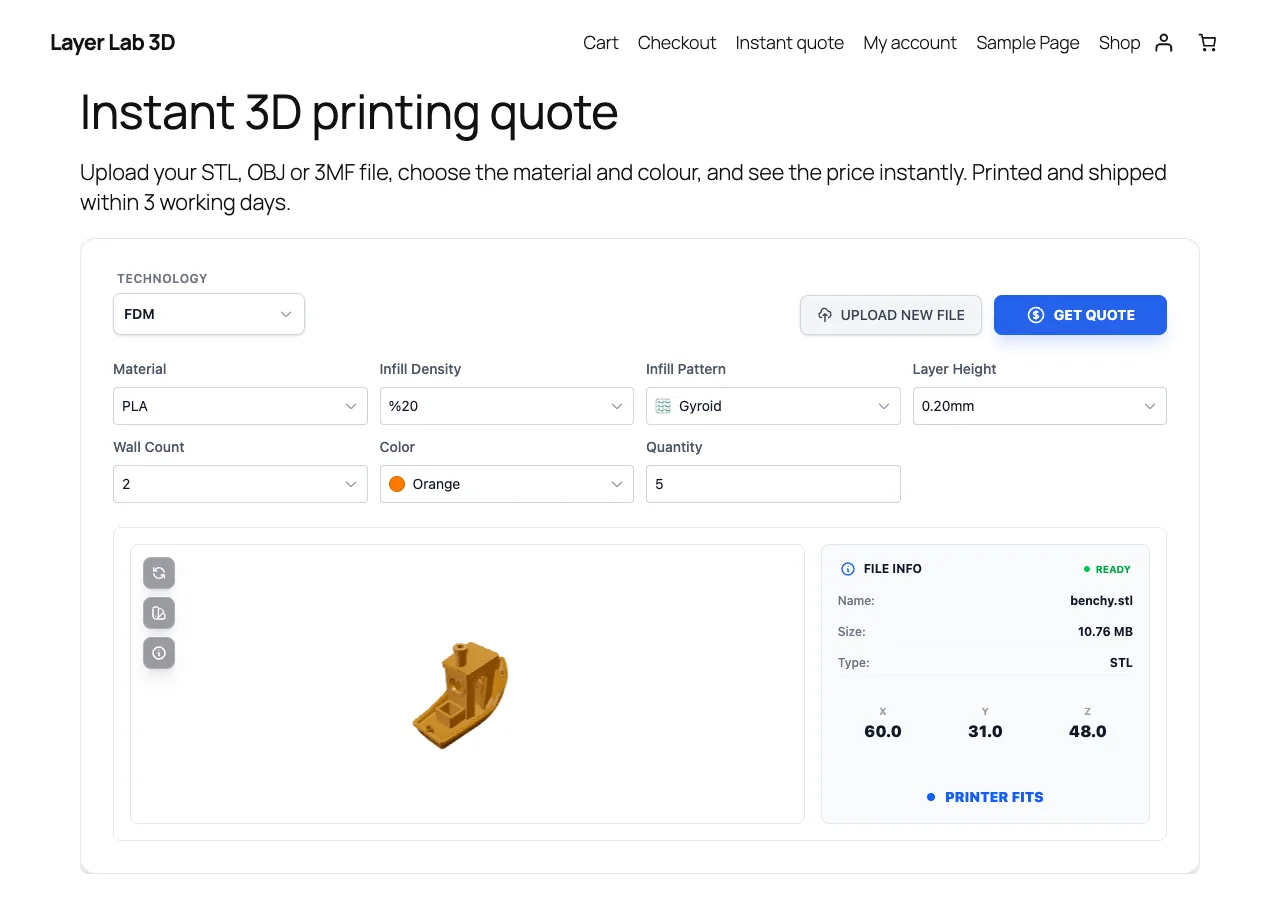
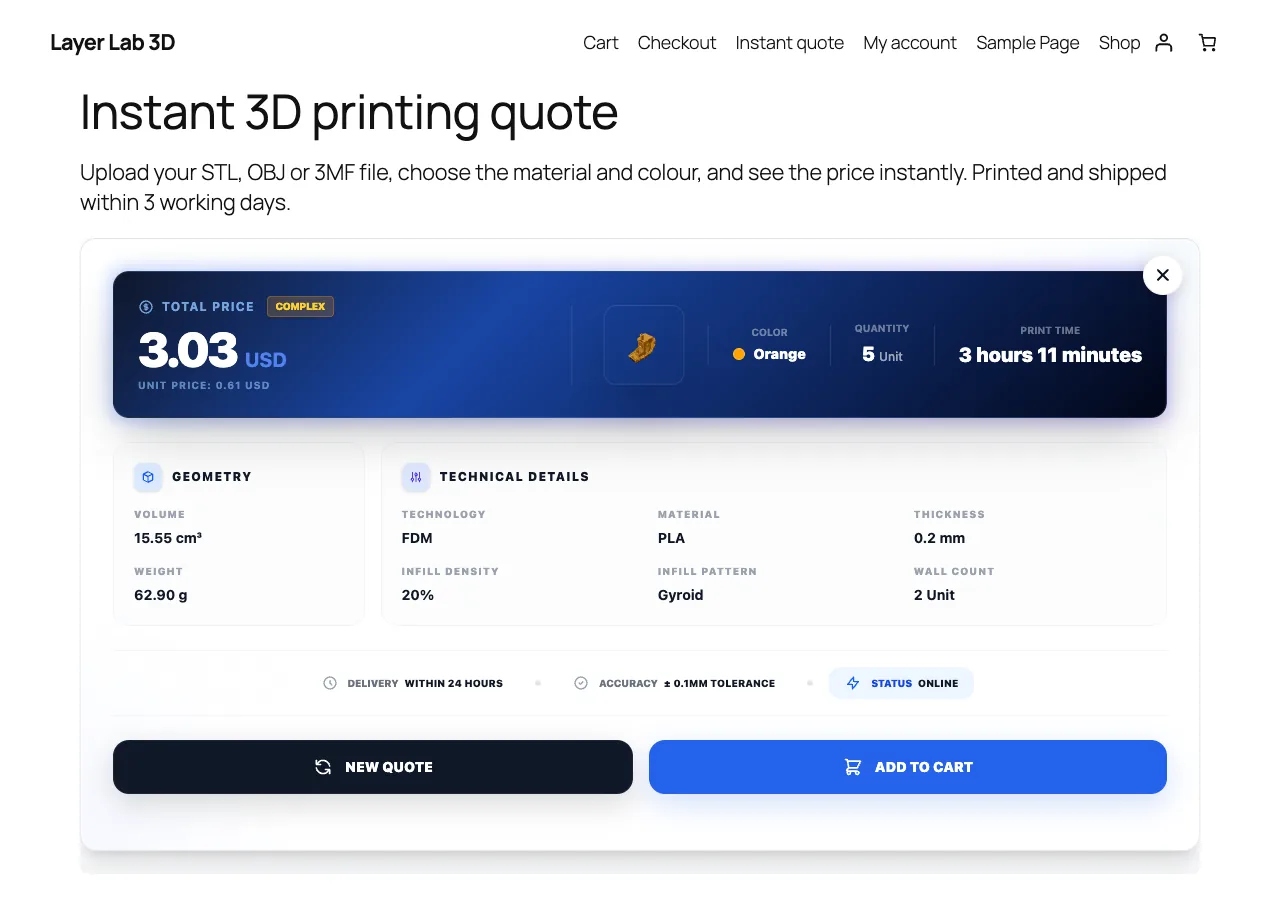
Shoppers upload an STL, OBJ or 3MF file, see the price instantly and add the part to the WooCommerce cart. The plugin verifies every price on your server and adds a Quote3D menu to WordPress for quotes, production, catalogue and reports.
Store integrations are available on paid Quote3D plans.
What you get
Verified quote-to-cart
The browser only sends the quote ID. The plugin reads price, pieces and material from the Quote3D API and adds one cart line at that price, with the quantity locked.
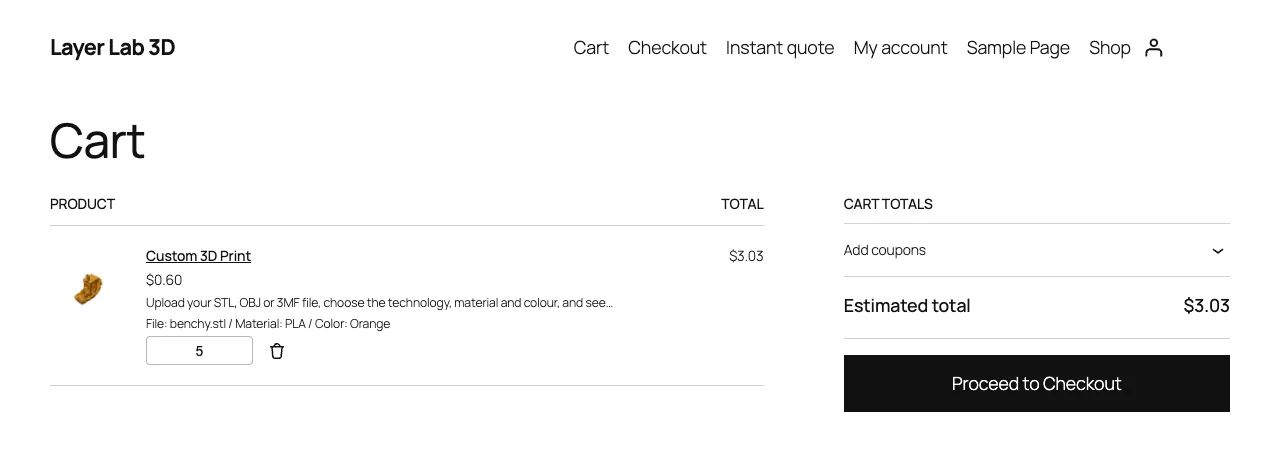
Model preview on the cart line
The cart and the order show the model thumbnail, file name, material, colour, technology and quote ID.
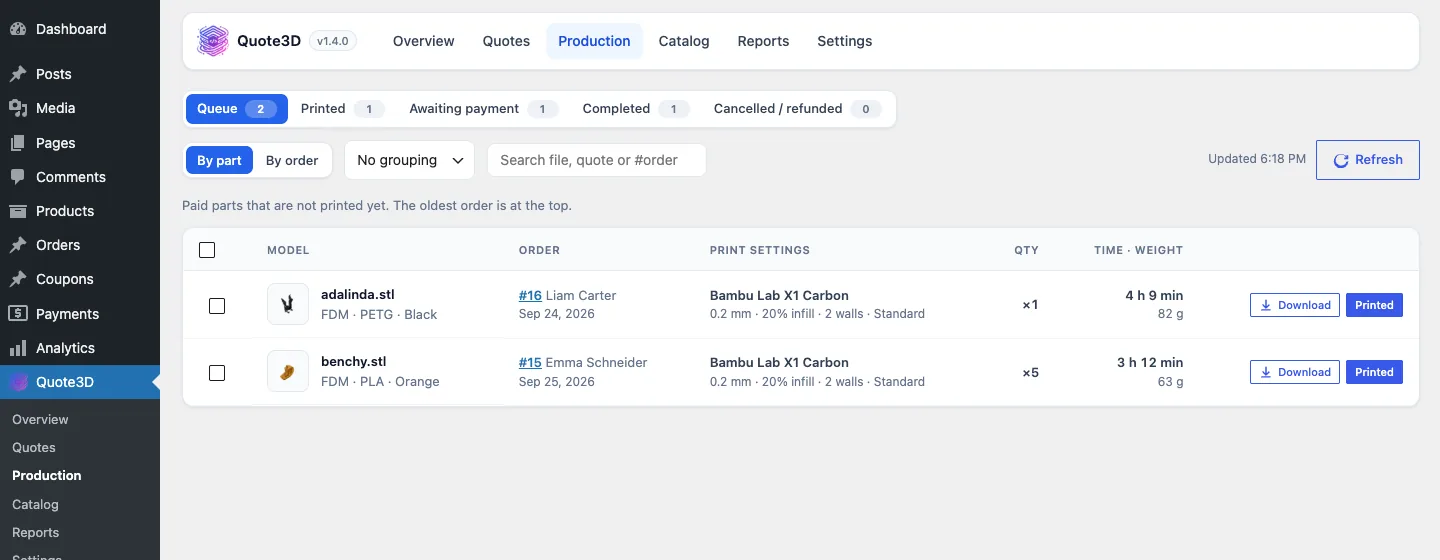
Production queue
Paid parts with their print settings, model downloads and a "mark printed" action. The order is completed when every part is printed.
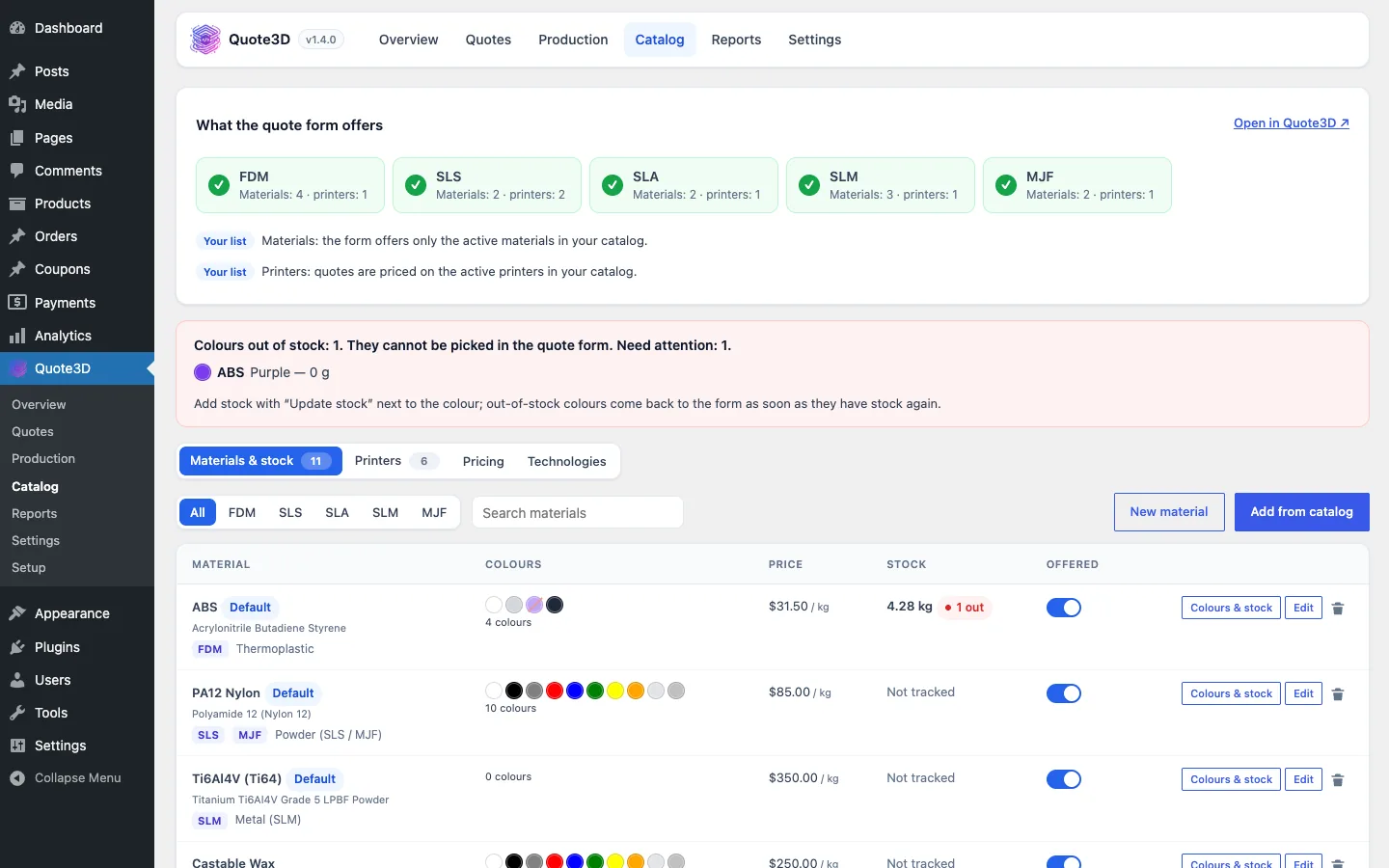
Catalogue and colour stock
Manage printers, materials, colours and prices from WordPress. Paid orders take colours out of stock, cancelled orders put unprinted parts back.
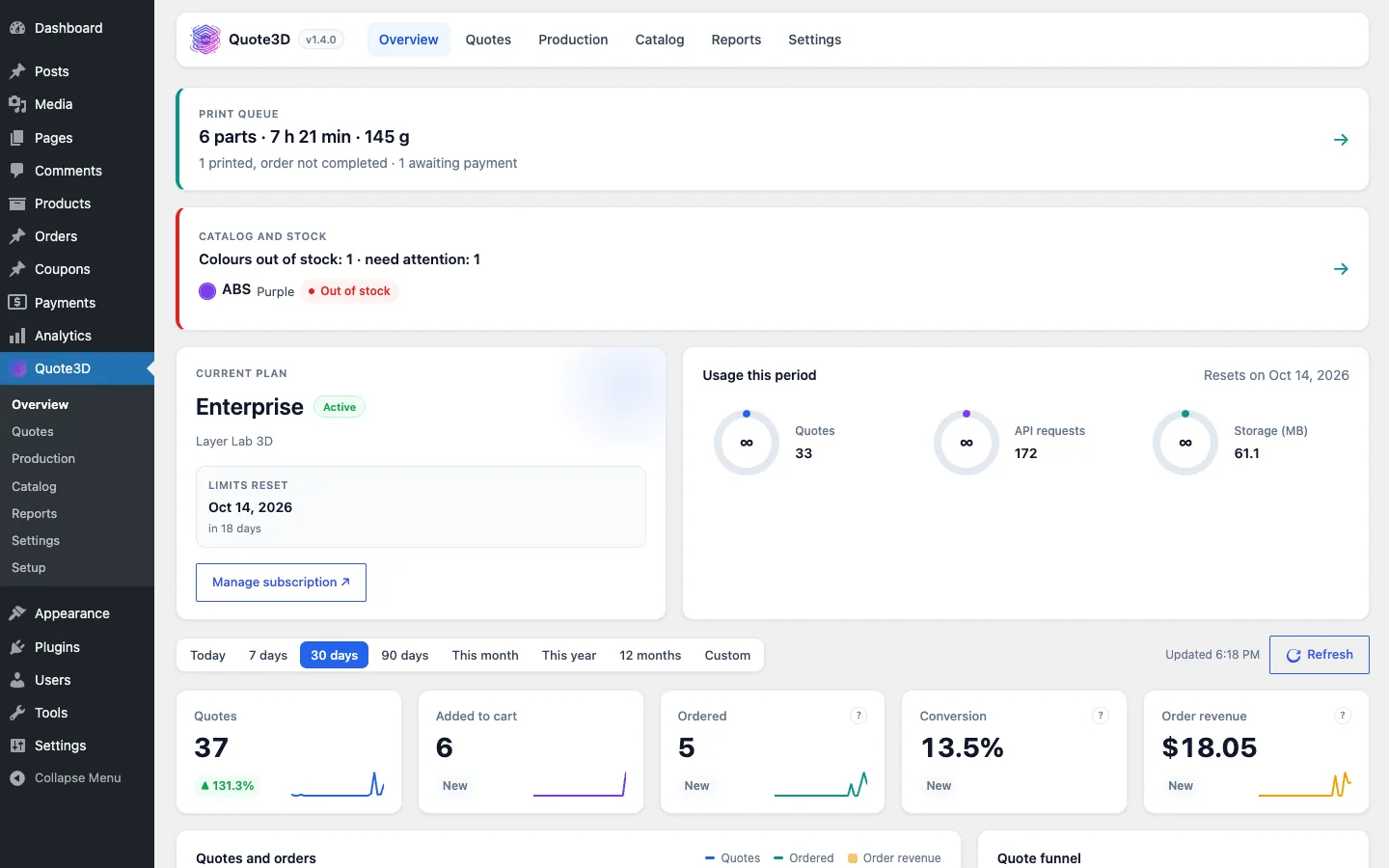
Overview and reports
Quotes, carts, orders and revenue for any period, plan usage and CSV export.
Setup wizard in nine languages
Connect with two tokens, let the wizard create the cart product and use the admin pages in nine languages.
Screenshots
Requirements
- WordPress 5.8 or later with WooCommerce
- PHP 7.4 or later
- A paid Quote3D plan (widget token and server token)
- Shop currency that matches your Quote3D pricing currency
Installation
- 1Upload the plugin zip under Plugins › Add New and activate it.
- 2Follow the setup wizard: choose the configurator language and paste your widget and server tokens.
- 3Let the wizard create the cart product, or choose your own.
- 4Turn on "Quote3D configurator" on a product, or place the [quote3d_widget] shortcode on any page.
Frequently asked questions
- Can shoppers change the price in the browser?
- No. The browser sends only the quote ID. The plugin reads the price from the Quote3D API on your server before the part goes into the cart.
- Which file formats and technologies are supported?
- STL, OBJ and 3MF files, priced for FDM, SLA, SLS, SLM and MJF printing with your own printers, materials and prices.
- Does it work with multi-currency plugins?
- Yes. The quote is compared with the store's base currency, which must match your Quote3D pricing currency.
- What happens to uploaded model files?
- They are stored on Quote3D. You can download them from the production queue, and the plugin can delete an order's files 7 days after the order is completed.
Other integrations
Take 3D printing orders on WooCommerce
Create a Quote3D account, set up your printers, materials and prices once, and connect your shop with two tokens.