Quote3D for PrestaShop
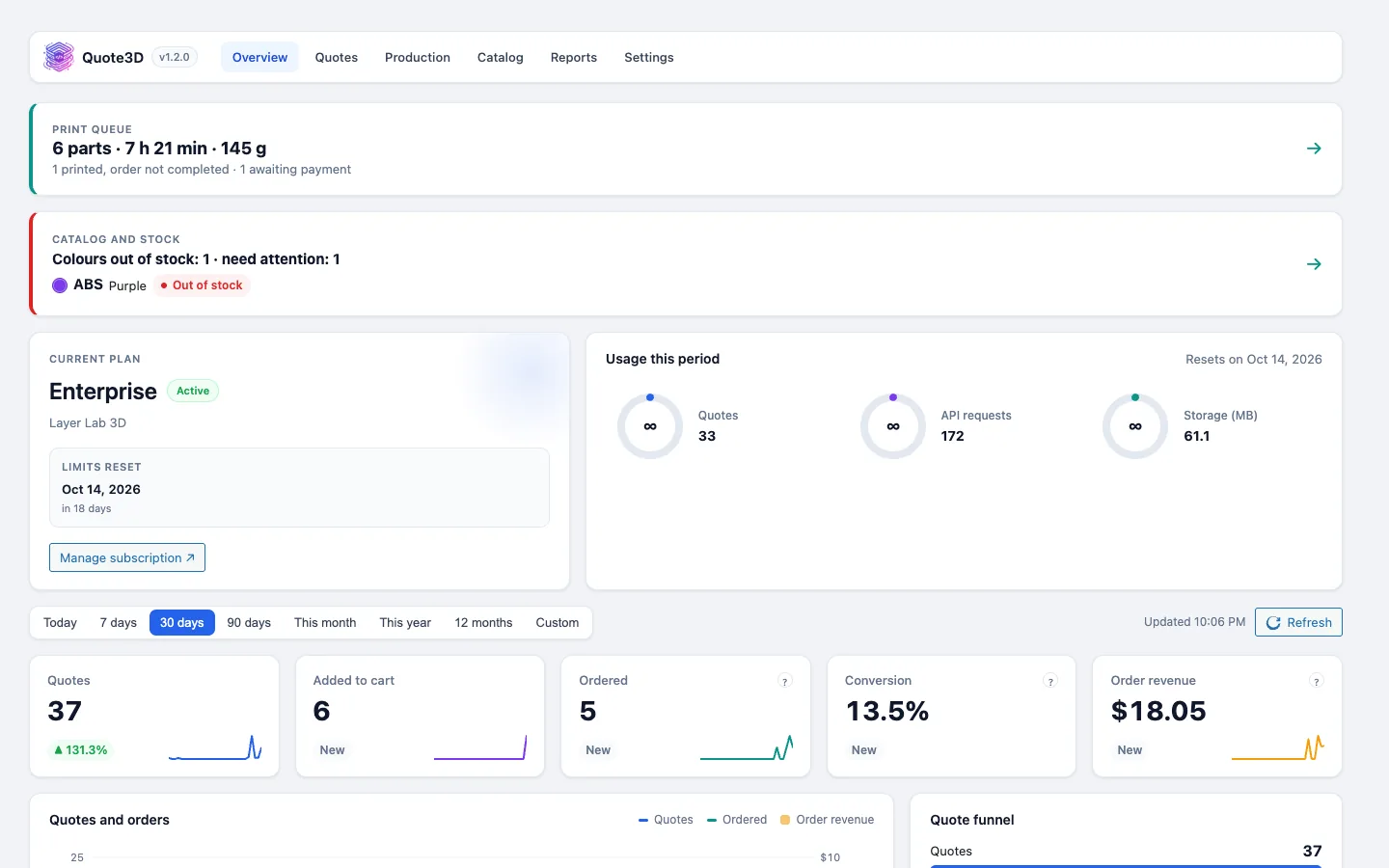
Add an instant 3D printing quote form to PrestaShop product pages. The module checks each quote's price on your server before it enters the cart and brings the Quote3D back office to Sell › Quote3D: quotes, production, catalogue, stock and reports.
Store integrations are available on paid Quote3D plans.
What you get
Verified cart price
Each quote is read again from the Quote3D API on your server and added as one cart line at that price. A quote that has already been ordered is refused.
Back office under Sell
Overview, Quotes, Production, Catalogue, Reports and Settings with a setup wizard, inside the PrestaShop admin.
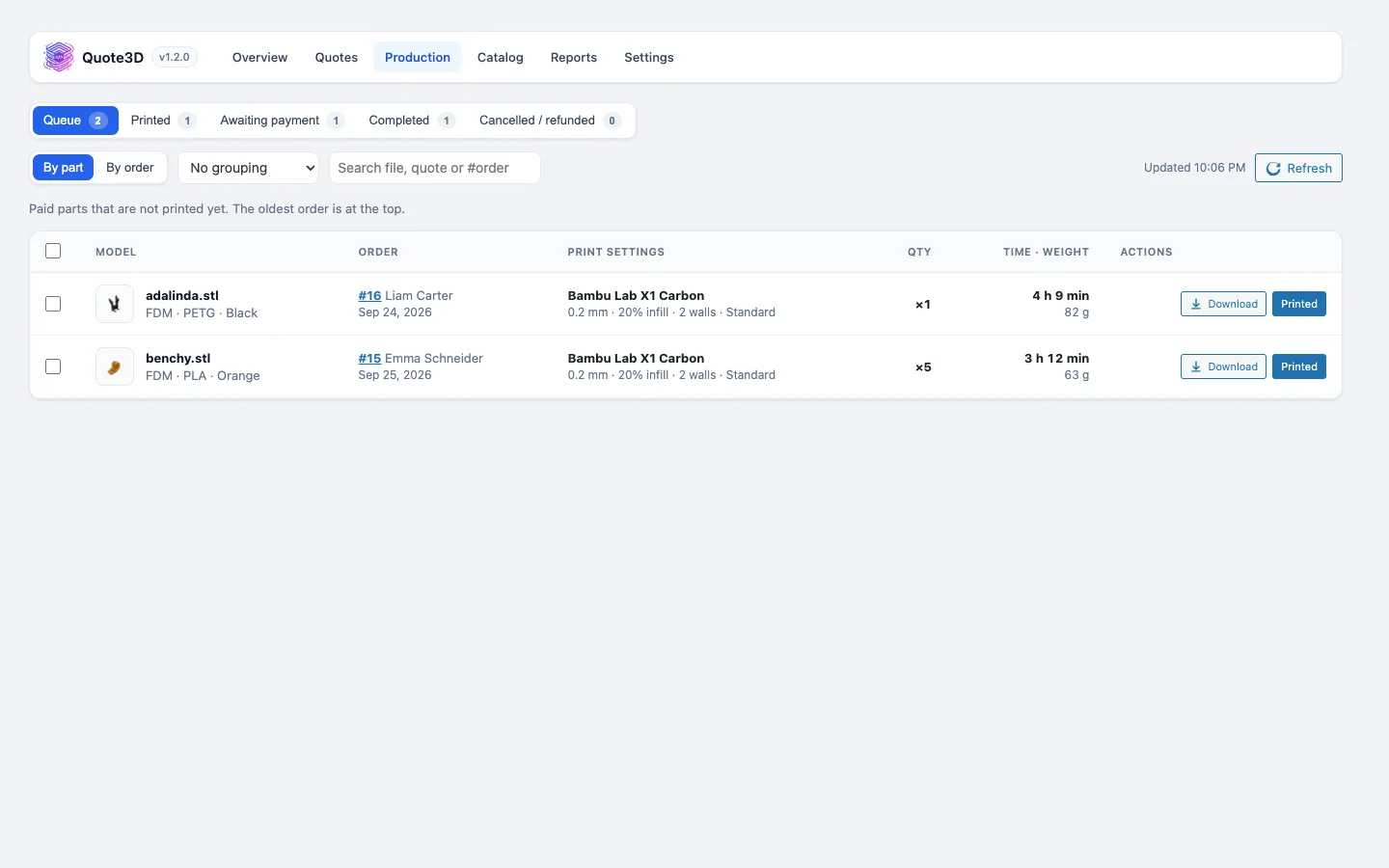
Production queue and order panel
Paid parts with print settings and model downloads. The order page shows each quote with a Download model button.
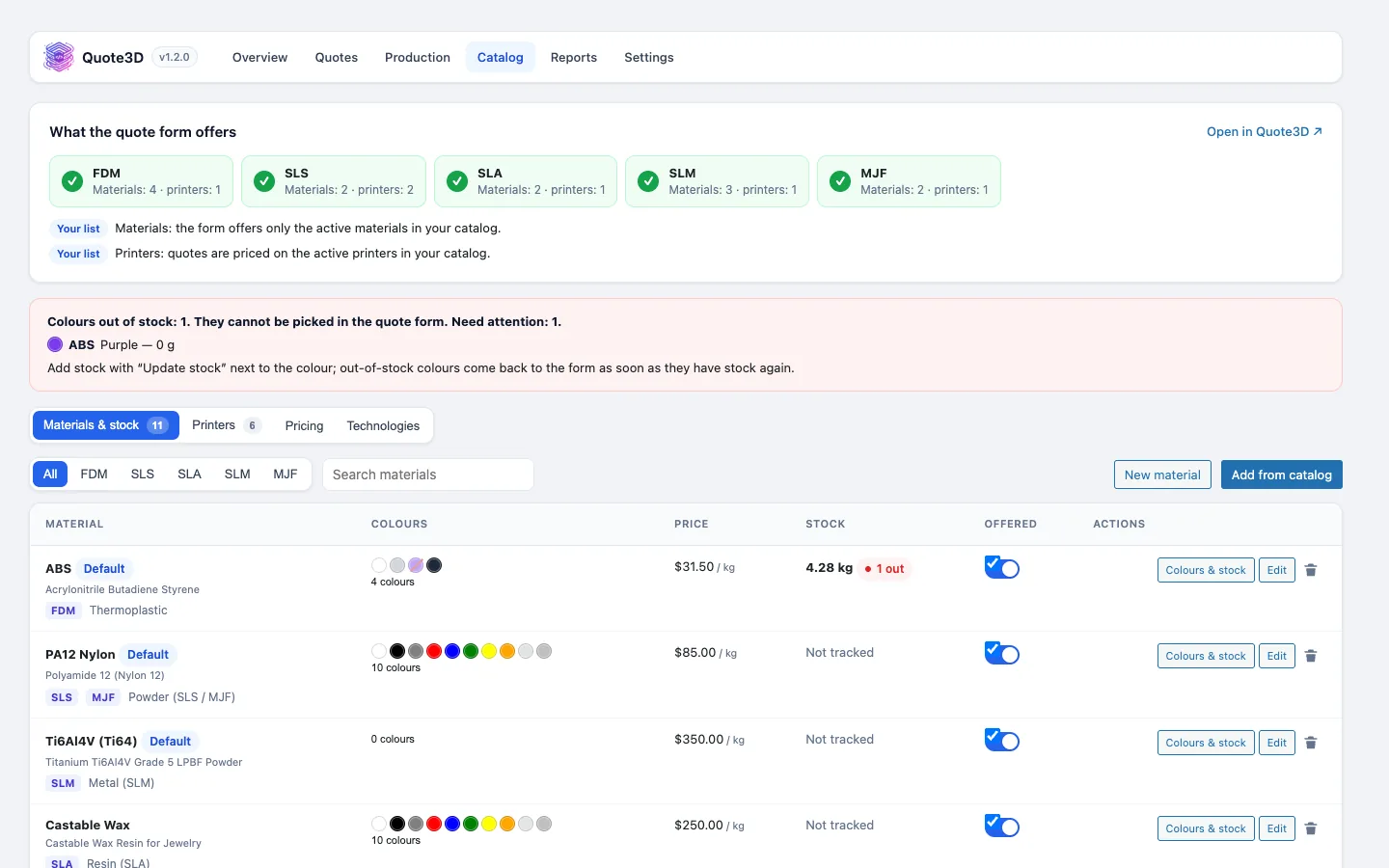
Colour stock that follows orders
Paid orders take colours out of your Quote3D stock, and cancelled or refunded orders put unprinted parts back.
Product option or theme widget
Turn on "Quote3D configurator" on any product, or place the quote3dcart widget in a theme template.
Privacy tools
Customer data export and erasure through PrestaShop's GDPR hooks, plus automatic model file cleanup.
Screenshots
Requirements
- PrestaShop 8 (tested on 8.2)
- A paid Quote3D plan (widget token and server token)
- Shop currency that matches your Quote3D pricing currency
Installation
- 1Modules › Module Manager › Upload a module: upload quote3d-prestashop.zip.
- 2The setup wizard opens under Sell › Quote3D: choose the language and paste your two tokens.
- 3Let the wizard create the hidden "3D Print" cart product, or pick your own.
- 4Turn on "Quote3D configurator" on a product page.
Frequently asked questions
- Where is the Quote3D menu in PrestaShop?
- Under Sell › Quote3D, with Overview, Quotes, Production, Catalogue, Reports and Settings.
- Can shoppers change the price in the browser?
- No. The browser sends only the quote ID. The module reads the price from the Quote3D API on your server before the part goes into the cart.
- Can the same quote be ordered twice?
- No. Once a quote belongs to a paid order, adding it to another cart is refused, so the same part is not sold twice.
- Which order statuses move parts to production?
- Statuses marked as paid put parts in the print queue. Cancelled, refunded and payment error statuses take them out, and the delivered status completes them.
Other integrations
Take 3D printing orders on PrestaShop
Create a Quote3D account, set up your printers, materials and prices once, and connect your shop with two tokens.